
This guide shows how to configure the Deep Links using Firebase Dynamic Link.
Table of contents:
How does Firebase Dynamic Link work?
This step guides to configure the URL Prefix as below:
Go to Firebase console and select your Firebase project.
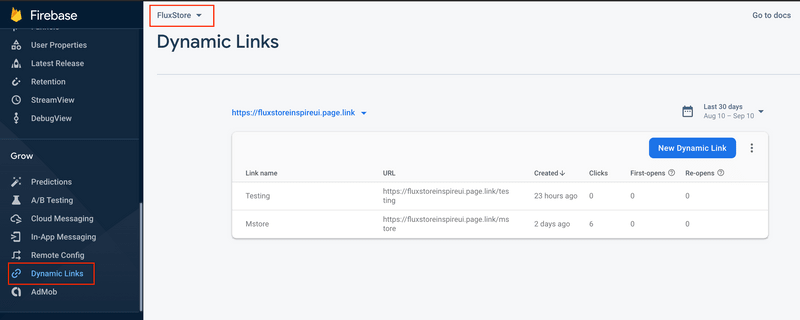
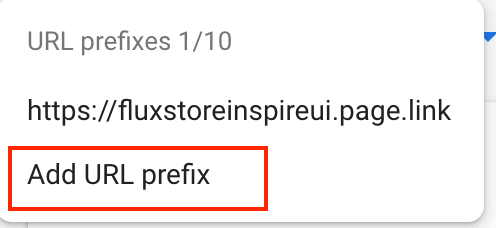
In Dynamic Links screen, click on Get Started button if this is your first time working with Firebase Dynamic Link. Otherwise, click on the current existing URL Prefix dropdown button, and click on add URL prefix
Type the domain name you want to use for your Dynamic Links. You can use the domain you own (for example, yourdomain.com or app.yourdomain.com), or a free Google-provided domain (for example, yourapp.page.link). In this project, we are using fluxstoreinspireui.page.link for testing.
Finish the following steps: Configure, Verify and Finish to get URL prefix.